
Take Control of Your Online Exam Experience

Stress-free proctoring is possible. With Ask Proctor, you’ll know what to expect, how to prepare your device and environment, and how to handle any issue that comes up during your exam.

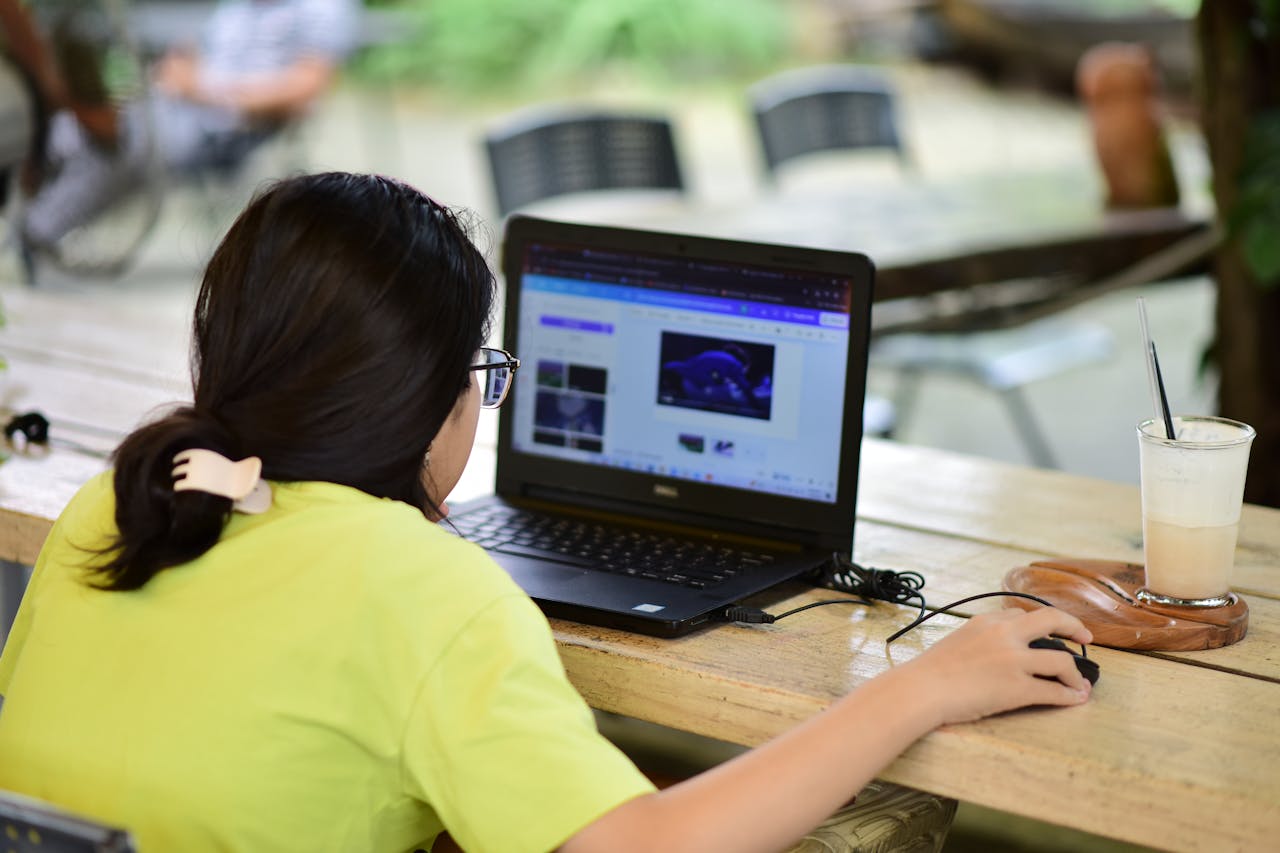
Ask Proctor - A Woman using a laptop in an outdoor café setting with a beverage nearby, focused on work.

Navigate Proctored Exams with Confidence

Proctored exams can feel technical, stressful, and unpredictable. Ask Proctor provides guidance to help students and professionals understand online proctoring, avoid common issues, troubleshoot technical problems, and stay compliant throughout the exam process. Whether your exam is monitored by Pearson VUE, ProctorU, PSI, Examity, or another platform, our resources make the experience smoother and easier to manage.

Explain How Proctoring Systems Work

Remote proctoring platforms use a combination of AI monitoring, live proctors, device scanning, and strict environment rules. We break down each system so you understand what is being tracked, how behavior is interpreted, and what the verification and room-scan steps involve. This preparation ensures you know exactly what to expect before your session begins.

Provide Technical Setup Guidance

Every online proctoring service has specific technical requirements. We guide you through device preparation, browser permissions, webcam and microphone testing, and ensuring a stable internet connection. Meeting these requirements helps prevent delays and technical issues that could interrupt your exam.

Offer Step-by-Step Troubleshooting

Technical problems are the leading cause of exam interruptions and lost time. Our guides provide clear solutions for issues like camera failure, microphone errors, browser launch problems, software freezing, repeated verification failures, and disconnections. The instructions are simple, practical, and actionable during real exam situations.

Clarify Environment and Behavior Requirements

Testing environments must be quiet, well-lit, and free of distractions. We explain what proctors expect in your workspace, how to position your camera, how movement is interpreted, and which factors may trigger compliance flags. Following these guidelines lets you focus on your exam without unnecessary stress.

Prepare You for Proctor Interactions

Live proctors may pause sessions, request adjustments, or ask you to repeat parts of a room scan. We provide tips for communicating effectively, understanding proctor authority, and staying calm. Knowing how to handle these interactions helps your session run smoothly.

Complete Support During and After Your Proctored Exam

We guide you through handling technical issues during your exam—like crashes or disconnections—so you can respond correctly and protect your results. After the exam, we help you understand reviews, address flagged events, and request re-evaluations, giving you clarity and confidence from start to finish.

Major Proctoring Systems We Cover

pexels-photo-34803983.jpeg

ProctorU (Meazure Learning) & Examity

ProctorU combines live human proctors with automated tools, while Examity uses authentication, webcam monitoring, and live supervision.

Users often face lengthy identity verification, strict room inspections, and software delays.
Common challenges include login loops, lighting sensitivity, and identity capture failures.
Following our guidance helps you prepare, resolve setup issues ahead of time, and ensure your session runs smoothly.

Pearson OnVue & PSI Bridge / PSI Remote Proctoring

Pearson OnVue is known for strict monitoring rules, while PSI requires stable devices and a clean environment.


Users may encounter session terminations, difficulty with room scans, or software freezes.
Browser compatibility, permission conflicts, and disconnections are frequent issues.
Step-by-step guidance helps prepare an environment that meets expectations and prevent interruptions.
A woman writes in a notebook at a café table with a coffee and smartphone nearby.
Top view of a stylish home office desk with a laptop, planner, and coffee cup, showing hands on a blueprint.

Respondus Monitor & LockDown Browser & Proctorio

Respondus Monitor & LockDown Browser enforce strict device controls, while Proctorio relies on AI monitoring and browser extensions.

Users often experience webcam failures, software launch problems, or conflicts with background apps.
Users face installation errors, permission issues, and sensitive motion detection.
Recommendations ensure your system is ready for the exam and guides show how to meet its requirements with confidence.

Honorlock & Prometric Remote Proctoring

Honorlock uses automated detection paired with on-demand live proctors, while Prometric Remote Proctoring enforces strict identity and environment rules.

Challenges include room scan confusion and browser extension conflicts.
Users may encounter failed readiness checks or workspace compliance issues.
Clear setup instructions help avoid delays and ensure your session meets all requirements.
Person uses a smartphone in front of a computer screen displaying stock photos, showcasing modern technology use.

Solutions to Ease Your Exam Process

We provide expert solutions that help you avoid common pitfalls and streamline your online exam experience.

Proctoring System Insights

Understand how different proctoring systems work to know what to expect during your exam and avoid surprises.

Technical Setup Support

Guidance on preparing your device, ensuring you meet technical requirements to avoid exam interruptions.

Proctor Interaction Preparedness

Learn effective communication strategies to handle interactions with live proctors smoothly and confidently.

Troubleshooting Issues

Access practical solutions for common technical problems that may arise, ensuring uninterrupted exam flow.

Environment Optimization

Get tips for creating the ideal testing environment that enhances focus and compliance with monitoring rules.

Post-Exam Support

Guidance on handling flagged moments or technical issues after your exam to alleviate post-exam anxiety.

Stay In Control of Your Exam

Understanding how proctoring works is just as important as studying the material. Our guides help you troubleshoot issues, reduce anxiety, and complete your exam with confidence. We focus on accuracy, clarity, and practical solutions that make online exams accessible and stress-free for everyone.

What Our Clients Say

Discover how Ask Proctor has transformed exam experiences for students and professionals alike.

This platform took the stress out of my remote exam. I kept failing the system checks on ProctorU, and the guides helped me fix everything quickly. I walked into my exam knowing exactly what to expect.
Daniel K
Daniel K. ProctorU (Meazure Learning)
I was nervous about OnVue because of automatic session terminations. The instructions showed me how to set up my room properly and avoid common issues. My exam went smoothly.
Maria T
Maria T. Pearson OnVue
Examity kept looping during identity checks. Following the troubleshooting steps, I fixed the problem fast and completed my exam without interruptions.
Samuel A
Samuel A. Examity
Respondus kept crashing on my laptop until I followed the guidance here. Their explanation of background conflicts saved me, and the browser worked on the first try.
Linda W
Linda W. Respondus
The environment guidance was incredibly helpful. My lighting setup would have triggered system flags, but after adjusting according to the instructions, my PSI session went perfectly.
Ruth M
Ruth M. PSI Services
My exam froze halfway. Following the advice on documenting and communicating issues, everything was resolved fairly. I even got a free retake.
James P
James P. Exam Support

Frequently Asked Questions

Get in Touch

Don’t let technical anxiety dictate your results. We are here to help you navigate the complexities of online proctoring.

Support Team

How can we help?

Whether you are a student preparing for a final, or a professional taking a certification, technical glitches shouldn’t stand in your way.

  • Platform Help: ProctorU, OnVue, Examity.
  • Setup: Compliance & Hardware checks.
  • Inquiries: Partnerships & Support.
Direct Email support@askproctor.com
311 S Wacker Dr, Chicago, IL 60606
First Name
Last Name
Email
Message
The form has been submitted successfully!
There has been some error while submitting the form. Please verify all form fields again.

Stay Confident, Ace Your Exam

Take control of your online exam today. Access our expert guides, troubleshoot with confidence, and ensure a smooth, stress-free proctoring experience—start now with Ask Proctor!

Scroll to Top