
How to take a proctored exam at home is a top concern for students preparing for high-stakes assessments like the HESI, TEAS 7, NLN PAX, HiSET, GED, PTCE, CMA, LSAT, and even MBA entrance exams such as the GMAT especially as remote testing becomes the norm. But succeeding in a remote proctored setting requires more than subject mastery; it demands strict compliance with technical, environmental, and procedural protocols. This guide walks you through exactly what you need to do to meet those requirements and perform your best.
Preparing Your Environment for a Proctored Exam at Home
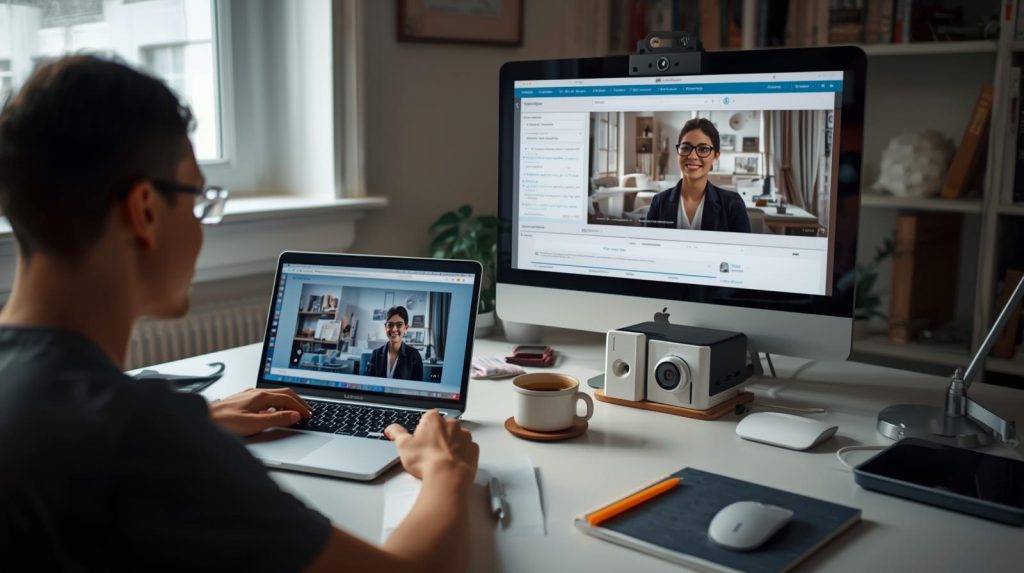
Before your scheduled exam time, ensure your testing space meets all specifications. Most proctored exam at home platforms require a quiet, private room with a clear desk no notes, phones, or secondary monitors visible. For exams like the TEAS 7 or HESI, even a family member walking through the background can trigger a flag. Close all doors, silence devices, and remove any prohibited materials. Lighting should be bright enough for the proctor to clearly see your face and surroundings via webcam.
Technical Setup: What You Need for HESI, TEAS 7, or NLN PAX
Technical issues are the leading cause of disrupted proctored exams at home. You’ll typically need:
- A reliable computer (not a tablet or phone)
- A functioning webcam and microphone
- A stable high-speed internet connection
- A compatible browser (often Chrome or Firefox with specific extensions)
For nursing entrance exams like the NLN PAX or TEAS 7, run a system check through the testing platform (e.g., ExamSoft, ProctorU, or PSI) at least 24 hours in advance. Some platforms even require a test run to verify your ID and scan your room. Don’t wait until exam day technical glitches can disqualify you before the first question appears.
Understanding the Rules for High-Stakes Exams: From CMA to LSAT
Each exam has its own proctored exam at home protocol. For instance, the CMA exam allows a whiteboard but forbids paper, while the LSAT may use AI-based proctoring with limited human oversight. MBA candidates exploring GMAT alternatives (like the GRE or Executive Assessment) might find different at-home rules altogether. Always review your specific exam’s candidate bulletin this isn’t one-size-fits-all. Violating a minor rule, like looking away from the screen during a PTCE or HiSET exam, could invalidate your score.
Tips to Stay Compliant and Confident During the Exam
Once the exam begins, maintain eye contact with the screen as much as possible. Speak only if prompted (many platforms use voice detection). If you’re taking the GED or CA real estate exam, bathroom breaks may not be permitted plan accordingly. Keep your hands visible and avoid sudden movements. If something goes wrong (e.g., internet drops), stay calm; most platforms have support chat or auto-save features, but repeatedly leaving the frame can result in termination.
Why Success Starts Before the Test Day
Scoring well on any proctored exam at home whether it’s the HESI for nursing school or the CMA for accounting depends heavily on preparation beyond content review. Practice under simulated conditions. Use official practice tests that mimic the proctoring software. This builds familiarity and reduces anxiety on test day. For the NLN PAX or TEAS 7, timing is critical; you don’t want your first experience with the interface to be during the live exam.
Take Control of Your Exam Success Start Preparing Today!
Don’t let technical glitches, unclear rules, or last-minute surprises derail your hard work. Whether you’re studying for the HESI, TEAS 7, NLN PAX, CMA, PTCE, HiSET, GED, LSAT, or exploring MBA admissions with or without the GMAT, your success begins with knowing exactly how to navigate a proctored exam at home.
Download your exam’s official at-home testing checklist now, run a system test, and schedule a practice session under real proctoring conditions. Every minute you invest in preparation boosts your confidence and your score. Your dream program or certification is within reach. All you have to do is hit “start.”